
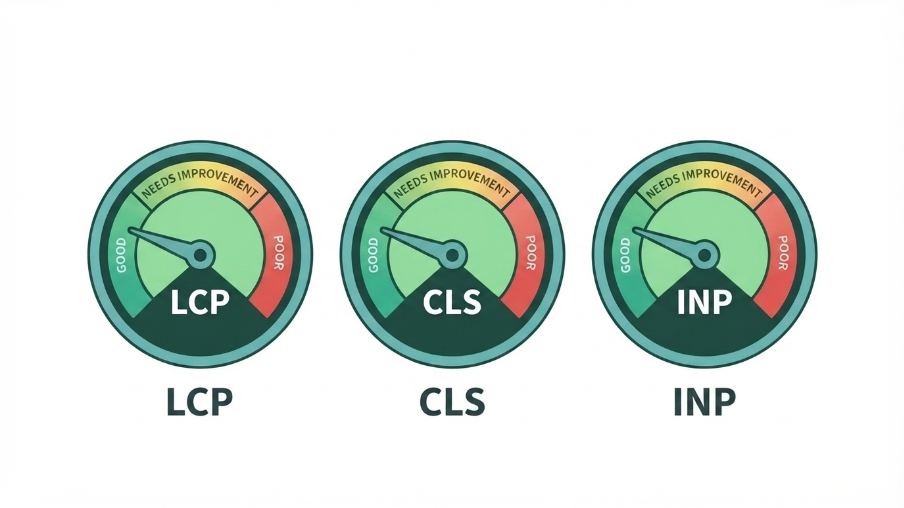
Core Web Vitals are three metrics Google uses to measure real-world user experience on your site — loading speed (LCP), visual stability (CLS), and responsiveness (INP). They’re a confirmed ranking factor, but more importantly, they measure the exact things that make visitors leave before converting. Fix them for your users, and the SEO benefit follows.
Most explanations of Core Web Vitals read like they were written for engineers, not the business owner who actually has to decide whether to spend money fixing them. So let’s skip the jargon and talk about what each one actually measures, why it matters, and what tends to be causing the problem on a typical WordPress site.
The Three Core Web Vitals
Largest Contentful Paint (LCP) — “How fast does the main thing load?”
LCP measures how long it takes for the largest visible element on your page — usually a hero image, a headline, or a banner — to fully render. Google’s target is under 2.5 seconds. Anything over 4 seconds is flagged as poor.
This is the metric people mean when they casually say “site speed,” but it’s more specific than a generic load time — it’s about when the thing your visitor actually came to see becomes visible, not when every script on the page finishes running in the background.
What usually causes a bad LCP:
- Unoptimized, oversized images (a 4MB hero photo instead of a compressed 150KB WebP version)
- Render-blocking JavaScript and CSS loading before the main content
- Slow server response times (cheap or overloaded hosting)
- No content delivery network (CDN) for a site with visitors far from the server location
Cumulative Layout Shift (CLS) — “Does the page jump around while loading?”
You’ve felt this even if you didn’t know its name: you go to tap a button, and right before your finger lands, an ad or image loads in above it and shifts everything down — so you tap the wrong thing. CLS measures how much unexpected visual movement happens during page load. Google’s target is under 0.1.
What usually causes a bad CLS:
- Images or embeds without explicit width and height set, so the browser doesn’t reserve space for them before they load
- Ads or dynamically injected content (like cookie banners) that push content down after the page appears loaded
- Web fonts that swap in and change text size/position after initial render
Interaction to Next Paint (INP) — “Does the page respond when I click something?”
INP replaced First Input Delay as Google’s responsiveness metric. It measures the time between a user interaction — a click, a tap, a key press — and the moment the page visibly responds. Google’s target is under 200 milliseconds.
What usually causes a bad INP:
- Heavy JavaScript execution blocking the main thread (chat widgets, tracking scripts, sliders, and popups are frequent culprits)
- Too many third-party scripts loaded on every page, not just where they’re needed
- Large, unoptimized DOM size — pages with thousands of nested elements take longer to process interactions
Why This Matters for Rankings, Not Just UX
Google has been explicit that Core Web Vitals are part of the page experience signals used in ranking, though they’re weighted alongside — not instead of — content relevance and quality. A page with perfect Core Web Vitals and no useful content still won’t rank for a competitive query. But between two pages of comparable quality and relevance, the faster, more stable, more responsive one has a real edge.
The more immediate impact, in my experience running these fixes for clients, is usually conversion rate, not rankings directly. A visitor who bounces because your page took 6 seconds to load never gets the chance to be converted by even the best content on the page — that’s a real, non-abstract implication.
How to Check Your Scores
Two tools, used together, give you the full picture:
- PageSpeed Insights (pagespeed.web.dev) — enter your URL and get both lab data (a simulated test) and field data (real user data, if you have enough traffic for Google to have collected it)
- Google Search Console → Core Web Vitals report — shows real-world performance across your whole site, grouped by URL pattern, which is more useful for spotting site-wide issues than testing one page at a time
Field data (from actual visitors) matters more than lab data for ranking purposes — it’s what Google actually uses. Lab data is useful for diagnosing why a score is bad, since it gives you a waterfall breakdown of what’s loading and when.
Fixing the Common Culprits
For LCP: compress and convert images to WebP, set a hero image to load eagerly (not lazily) since it’s above the fold, use a CDN, and check your hosting — cheap shared hosting is a frequent, underestimated cause of slow server response times.
For CLS: always set explicit width/height attributes on images and embeds, reserve space for ad slots and cookie banners in your CSS before they load, and avoid web fonts that cause visible text reflow (or use font-display: optional where the design allows it).
For INP: audit every third-party script on your site (chat widgets, analytics, heatmap tools, sliders) and remove or defer anything not essential to the page loading. Load non-critical JavaScript after the main content, not before it.
If this sounds like a lot to diagnose and fix correctly without breaking something else on the site, that’s a realistic read — Core Web Vitals fixes often involve trade-offs between design, functionality, and speed that are easy to get wrong. This is core to what we handle in our Technical SEO service, and it’s one of the fastest, most measurable wins in a full technical SEO audit.
FAQ Schema-Ready Q&A
Q: What are the three Core Web Vitals?
A: Largest Contentful Paint (LCP, loading speed), Cumulative Layout Shift (CLS, visual stability), and Interaction to Next Paint (INP, responsiveness).
Q: What’s a good Core Web Vitals score?
A: LCP under 2.5 seconds, CLS under 0.1, and INP under 200 milliseconds are Google’s thresholds for a “good” rating.
Q: Do Core Web Vitals directly affect SEO rankings?
A: Yes, they’re a confirmed ranking signal, though they carry less weight than content relevance and quality. Their bigger impact for most businesses is on conversion rate and user experience.