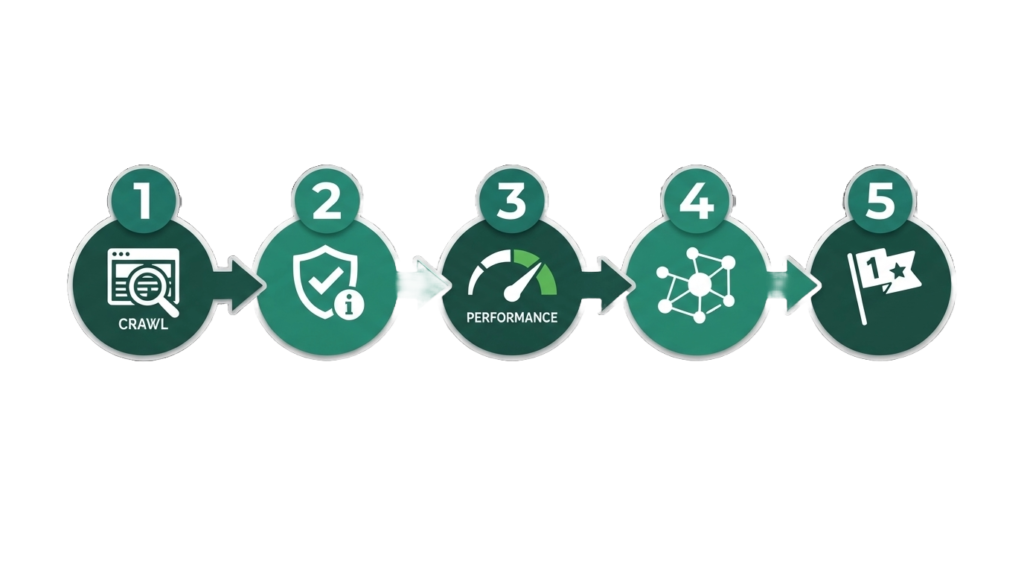
A technical SEO audit follows five stages — crawl the site, check indexability, evaluate performance, review architecture and structured data, then prioritize fixes by impact. Done properly, it takes anywhere from a few hours on a small site to several days on a large, complex one. Here’s the exact process, in order.
I’ve run this process enough times to know where people usually go wrong doing it themselves: they either try to fix issues as they find them (which means you never get a full picture before you start making changes) or they get a 200-line spreadsheet of “issues” from a crawler tool with no sense of which five actually matter. Both mistakes waste time. This walkthrough is built to avoid them.
Step 1: Crawl the Entire Site
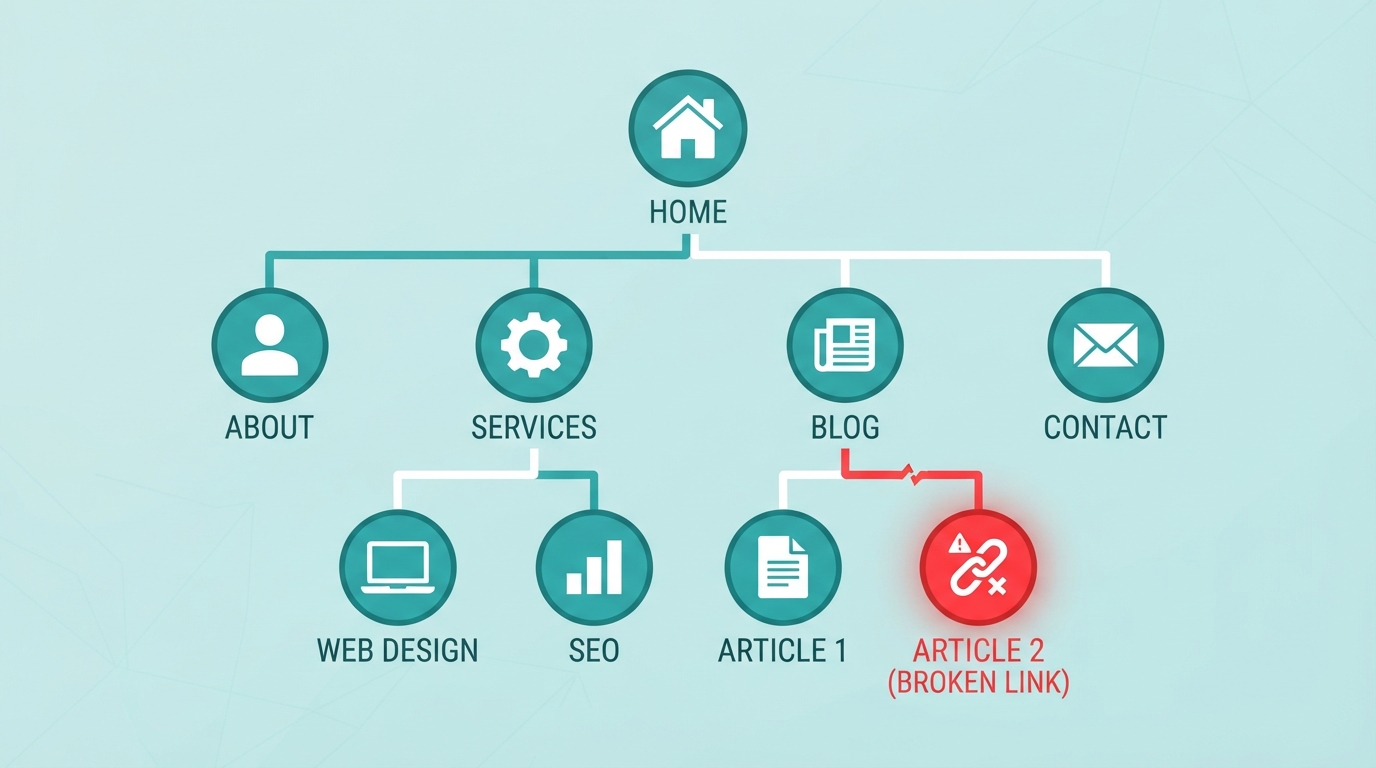
Before anything else, you need a full map of what actually exists on your site — not what you think exists. Use a crawler tool (Screaming Frog is the industry standard; Sitebulb and Ahrefs Site Audit are solid alternatives) and crawl every URL.
What you’re looking for in this pass:
- Total page count, compared to what you expect
- Broken links (4xx errors) and server errors (5xx)
- Redirect chains (a URL that redirects to another redirect, instead of directly to the final destination)
- Duplicate pages, especially from parameter URLs (
?utm_source=,?sort=, etc.) that shouldn’t be indexed separately
This step alone usually surfaces the most obviously broken things — pages that 404, redirect chains left over from a previous migration, or a shocking page count difference (either far more pages than you expected, from parameter duplication, or far fewer, meaning something’s blocking a section of the site).
Step 2: Check Indexability
Crawling tells you what exists. This step tells you what Google can actually put in its index.
- Check robots.txt at yoursite.com/robots.txt for anything accidentally blocking important sections
- Check for stray noindex tags, especially on pages that were built in staging and never had the tag removed before launch
- Review canonical tags — confirm every important page has a self-referencing canonical, and that no important page accidentally points its canonical somewhere else
- Cross-reference against Google Search Console’s Coverage report — this shows you exactly what Google has indexed, excluded, and why, which is more authoritative than any third-party crawler for this specific question
This is the step that catches the quiet killers — pages that look completely fine to a visitor but were never eligible to rank in the first place.
Step 3: Evaluate Site Performance
Pull Core Web Vitals data from both PageSpeed Insights and the Search Console Core Web Vitals report (see our full breakdown of LCP, CLS, and INP if you need the metric definitions). At this stage, you’re not fixing anything yet — you’re documenting which URL patterns (not just individual pages) have systemic performance issues, since fixing one template usually fixes hundreds of pages at once.
Also check:
- Mobile usability, via Search Console’s Mobile Usability report
- HTTPS status across every resource on the page (look for mixed-content warnings in browser dev tools)
- Server response time (TTFB — Time to First Byte), which points to hosting issues if it’s consistently slow
Step 4: Review Architecture and Structured Data
- Internal linking depth — how many clicks from the homepage is your most important content? Anything past 3–4 clicks is likely under-crawled and under-ranked
- Orphan pages — pages with no internal links pointing to them at all, which crawlers (and users) may never find
- XML sitemap accuracy — confirm it includes every page that should be indexed and excludes everything that shouldn’t (thank-you pages, tag archives, etc.)
- Structured data validation — run key pages through Google’s Rich Results Test to confirm schema markup is implemented correctly, not just present (invalid schema often looks fine to a human but fails validation)
Step 5: Prioritize by Impact, Not by Volume
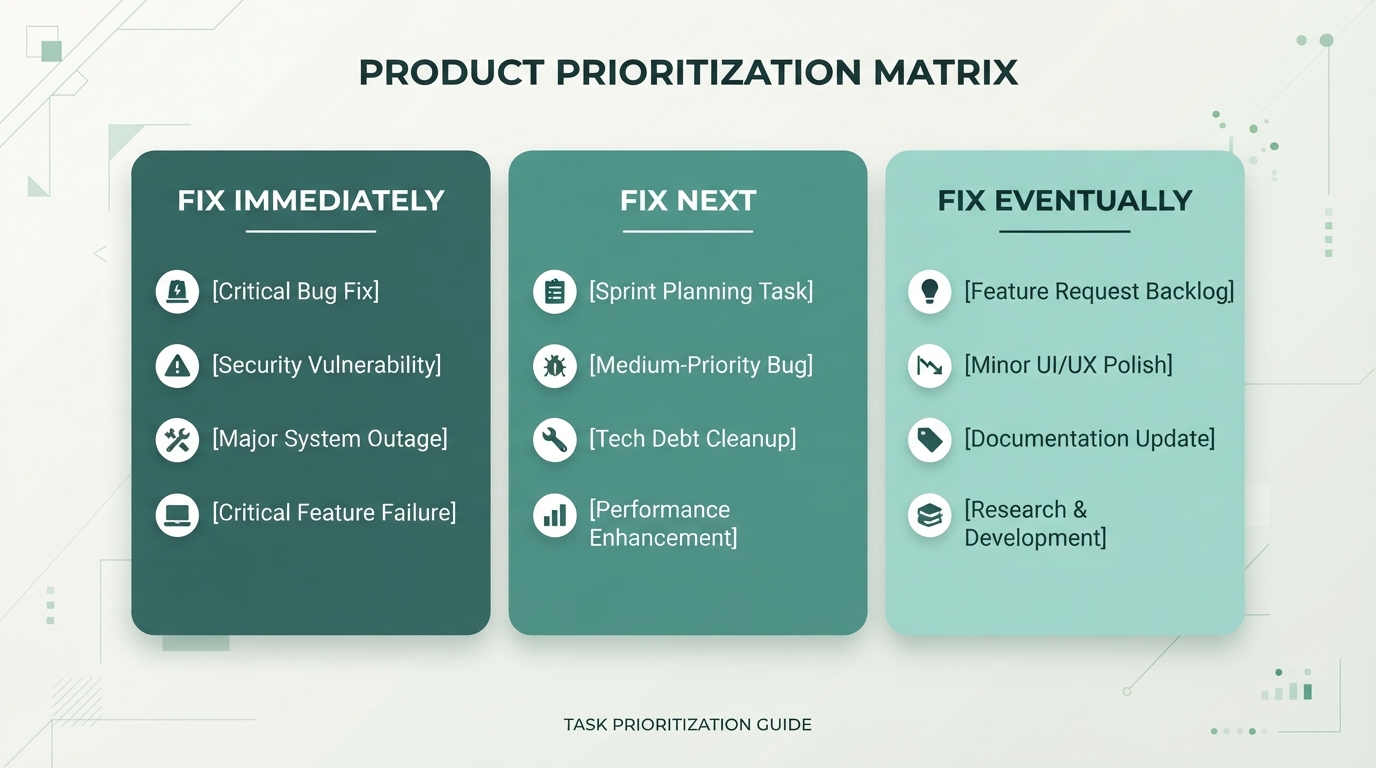
This is the step most DIY audits skip, and it’s the one that actually determines whether the audit produces results. A crawler tool will hand you a list with 200+ “issues.” Most of them don’t matter. Prioritize using this framework:
Fix immediately: anything blocking indexing entirely — noindex tags on important pages, robots.txt blocks, broken canonical chains, 5xx server errors on key pages
Fix next: Core Web Vitals issues on high-traffic templates, orphan pages with real content value, missing or broken structured data on pages that would benefit from rich results
Fix eventually: minor redirect chain cleanups, low-priority duplicate content on pages that get little traffic anyway, cosmetic crawl warnings that don’t affect indexing or rankings
A 200-item spreadsheet with no prioritization isn’t an audit — it’s a list. The value of a real audit is knowing which five things to fix this week versus which fifteen can wait until next quarter.
What This Looks Like as an Ongoing Process
A technical SEO audit isn’t a once-and-done task. Plugin updates, theme changes, new content, and platform updates can all reintroduce issues you already fixed. Most sites benefit from a lighter monthly check plus a full audit annually or after any major site change (redesign, migration, or platform switch).
If you’d rather have this run and prioritized for you — including the parts that require code-level fixes, not just a list of what’s wrong — that’s exactly what our Technical SEO service covers, starting with a full audit like the one above.
FAQ Schema-Ready Q&A
Q: What’s included in a technical SEO audit?
A: A full crawl of the site, an indexability check (robots.txt, noindex tags, canonicals), a performance review (Core Web Vitals, mobile usability, HTTPS), an architecture and structured data review, and a prioritized list of fixes.
Q: How long does a technical SEO audit take?
A: Anywhere from a few hours for a small site to several days for a large, complex one — the crawl itself is fast, but reviewing and prioritizing findings takes longer.
Q: How often should I run a technical SEO audit?
A: A full audit annually or after any major site change (redesign, migration, platform switch), with lighter monthly checks in between.